Last updated on
Version: v2.2.0
Project Information
The Project Information will be shown up in everywhere exists eTask. The project info will be displayed either in dashboard, team task, or in eHome (personal page).
- You can setup the project duration, or management team to ensure everything is strictly followed and setup the team's region to manage working status.
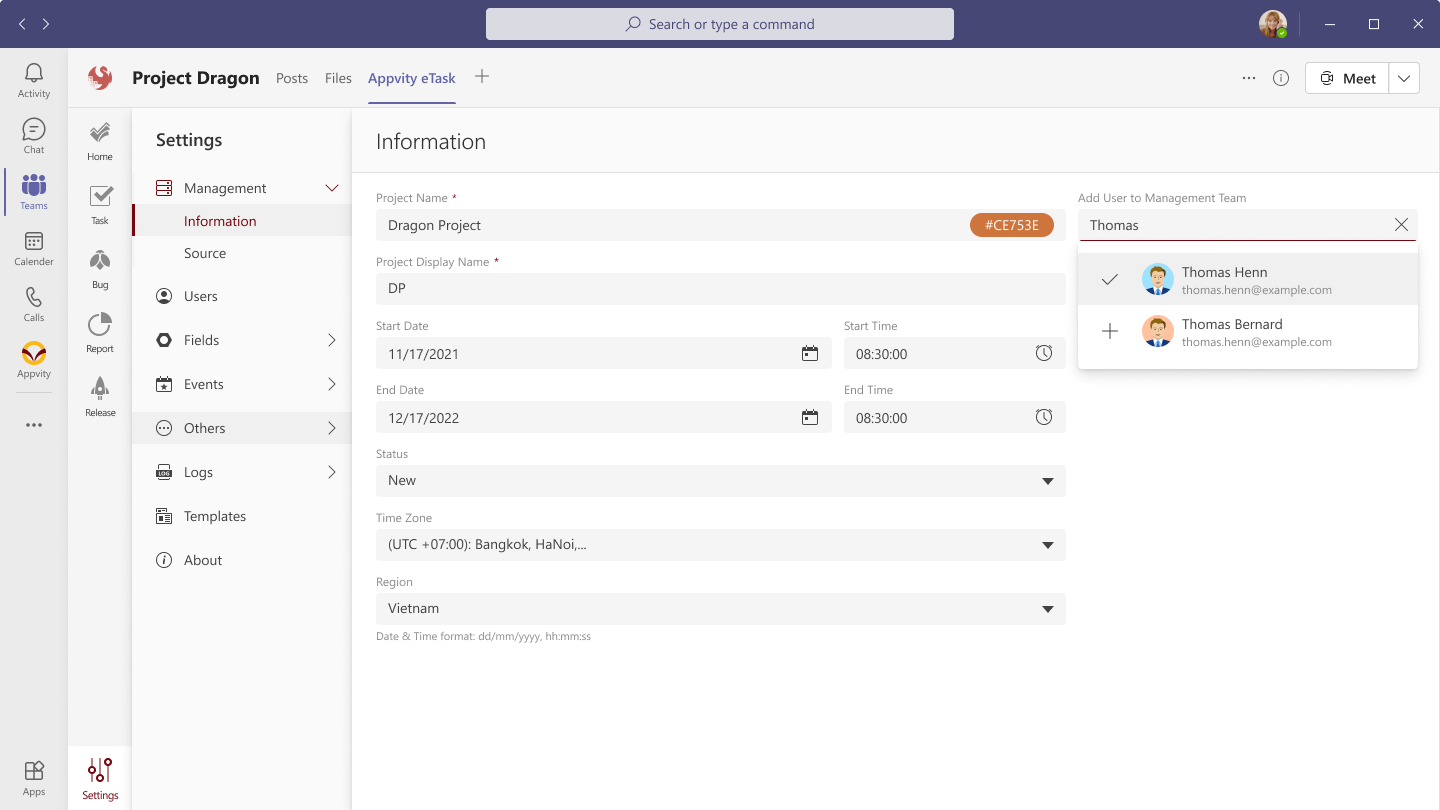
- Project Name.
- Project Display Name: Will be shown at everywhere exist eTask (dashboard, charts, reports, ...), it should be unique and keep it as simple as you can for better viewing.
- Start Date: Start date of your project - Apply any logical status in eTask such as start counting overdue, due soon, reminders, events, ...
- Start Time: Start time of your project.
- End Date: End date of your project - Be aware that any project has the End Date less than current date 2 years, then it will be archived in backup db (coming soon).
- End Time: End time of your project.
- Status: There are 3 statuses:
- New: Just added for planning and does not apply logical status in eTask.
- Active: Apply any logical status in eTask such as start counting overdue, due soon, reminders, events, ...
- Closed: Be aware that any project has the Closed status set date less than current date 2 years, then it will be archived in backup db (coming soon).
- Add Users to Mangement Team: Adding/remove project managers those who can
- Delete tasks.
- View and modify project's Settings.


