Other Functions
Cancel
Click on Cancel on the toolbar to recall the recently submitted document for signing.
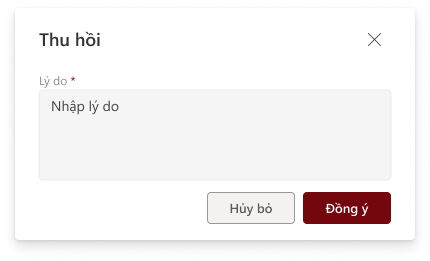
Enter the reason, then click Agree to complete the document recall. The system will send a notification email to the submitter and the approvers.
History
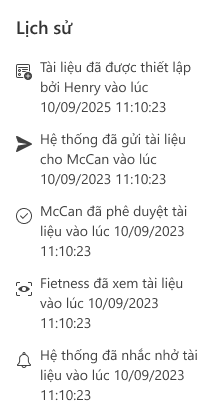
Displays the actions during the creation of a document for signing, including:
- The time and person who created the document.
- The time and person who completed the setup.
- Email sending details to users, including the sending time.
- The time and person who signed the document.
- Information on downloading related documents.
- Information on delegation, rejection, and cancelation with reasons.
Download document
Click on Download to download files and history of signing document:
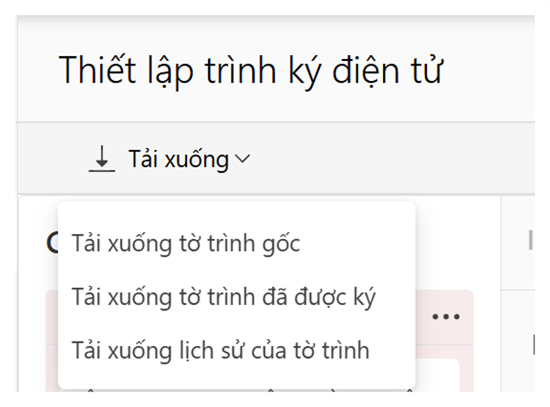
- Download Original Proposal: Users can download the document or file they previously uploaded to the signing system.
- Download Signed Proposal: The system allows users to download the document file with all signatures from the participating parties. Note: The signed proposal can only be downloaded when its status is "Approved."
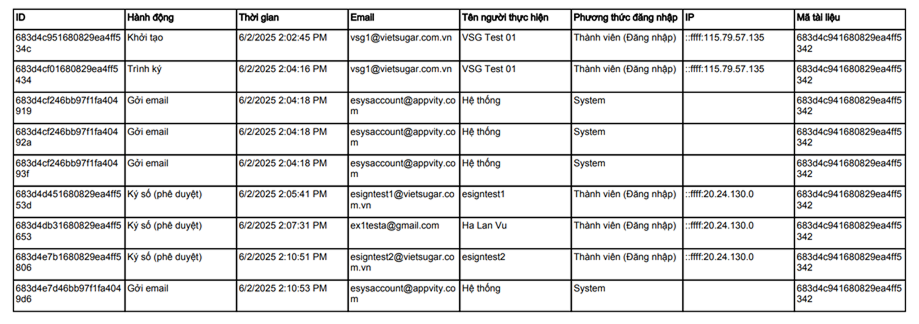
- Download Proposal History: Allows users to download a file that displays the complete action history performed by users during the online signing process. The content is displayed as shown below:
Signature Verification
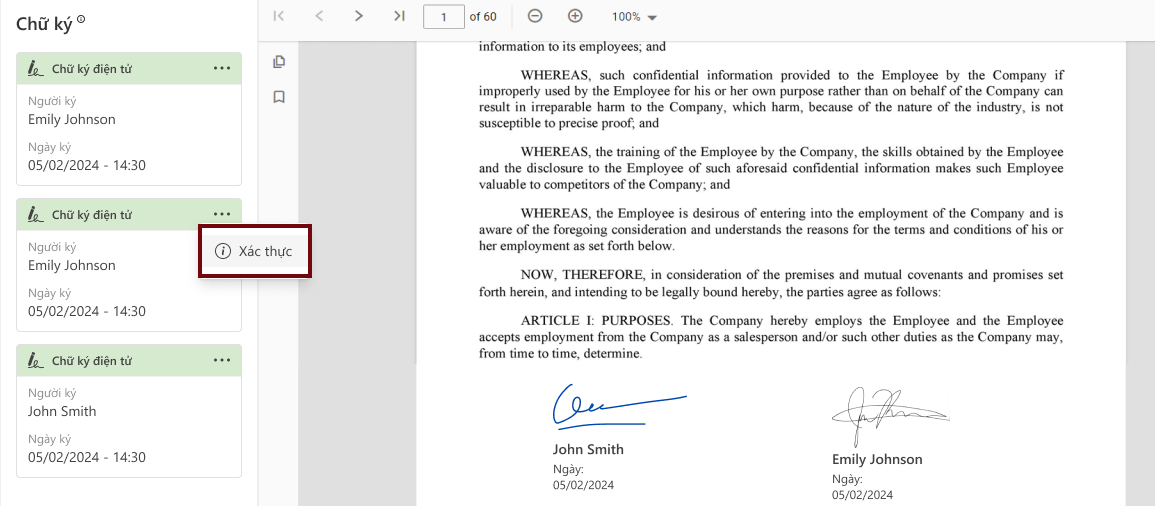
For the "Completed" status: Users can verify the validity of the signature by:
- Clicking on the “...” icon
- Selecting “Validate” to proceed with signature verification.
The verification information will be displayed as below:
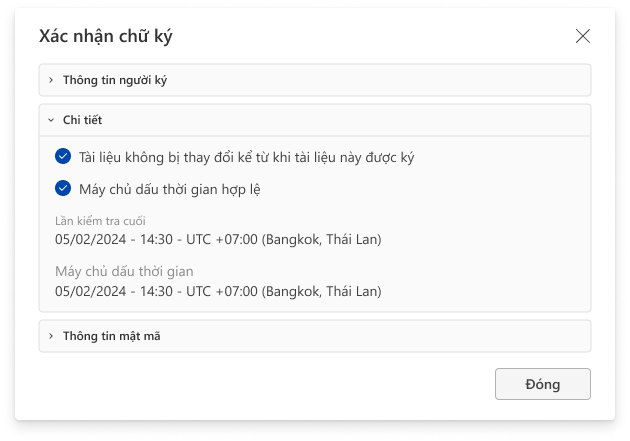
- Signer Information: This section provides basic identification details of the individual who signed the document, including:
- Signer’s Name: The displayed name extracted from the digital certificate used for signing.
- Signing Time: The exact timestamp when the document was digitally signed.
- Signature Status: Valid / Invalid, with reasons provided if invalid (e.g., expired certificate, revoked certificate, document modified after signing, etc.).
- Valid Signature Details: This section verifies the integrity and trustworthiness of the signature. Information includes:
-
Last Check: The most recent time the system validated the signature’s status.
-
Server Timestamp: The timestamp recorded by the certification authority’s server at the time of signing. This ensures the signature was created while the certificate was still valid.
-
Signature Validity:
- Valid From: The start date and time of the digital certificate’s validity.
- Valid Until: The expiry date and time of the certificate.
-
OCSP/CRL Check Status: Determines whether the certificate has been revoked (if applicable).
- Cryptography Information: This section relates to the algorithms and technical standards used during the signing and verification process, including:
- Signature Algorithm:
- RSA (Rivest–Shamir–Adleman): A widely used public-key cryptosystem for creating and verifying digital signatures.
- Hash Algorithm:
- SHA-512 (Secure Hash Algorithm 512-bit): Generates a fixed hash value from the document’s content to detect any post-signing alterations.
- Signature Format Standard:
- CADES (CMS Advanced Electronic Signatures): An advanced digital signature standard based on CMS (Cryptographic Message Syntax). CADES ensures that:
- The document remains unchanged after signing.
- Additional information such as signing time, digital certificates, certificate chains, etc., can be embedded.
- Various security levels are supported: CAdES-B, CAdES-T, CAdES-LT, etc., where:
- CAdES-T includes a timestamp.
- CAdES-LT adds long-term validation information.
- CADES (CMS Advanced Electronic Signatures): An advanced digital signature standard based on CMS (Cryptographic Message Syntax). CADES ensures that:


