Overview
eBot is an intelligent bot for interacting with eTask and eBug through conversations, which provides an easy way to view, edit, or open a task in the Posts tab.
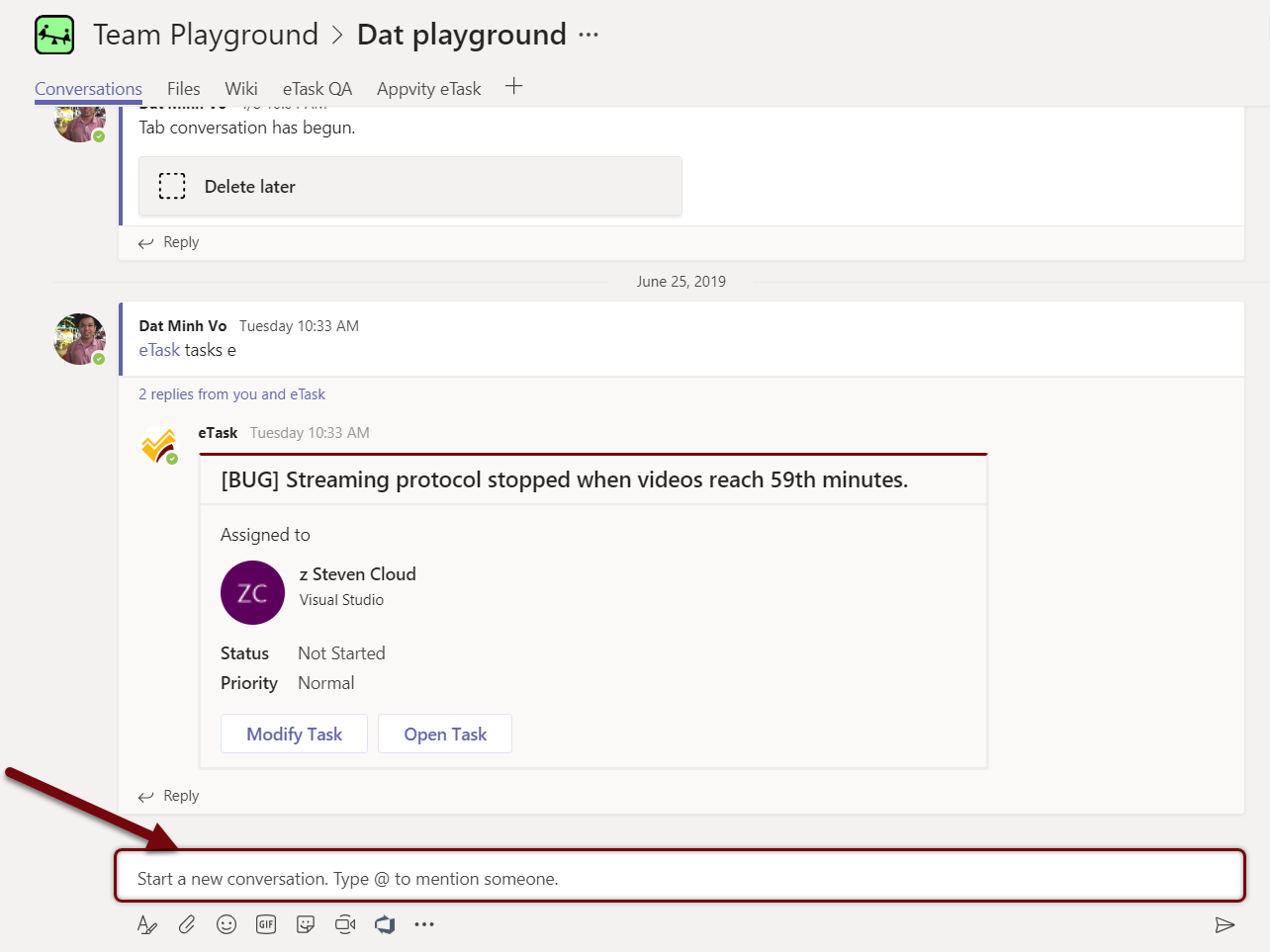
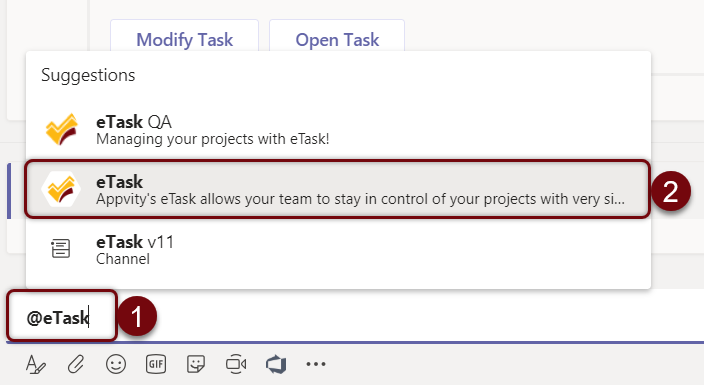
From the Posts tab, type “@eTask”, and then choose eTask.
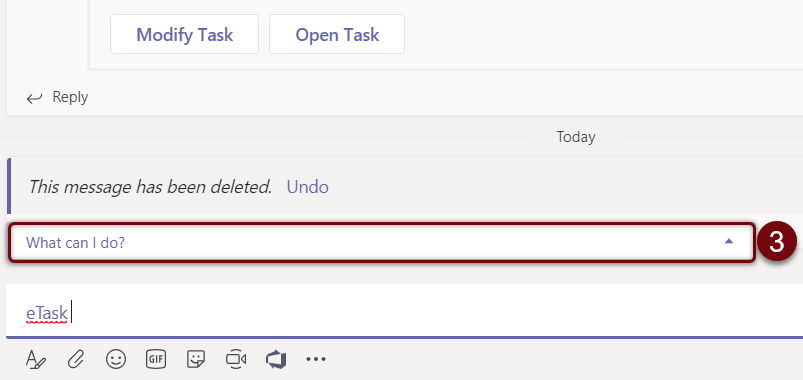
Choose “What can I do?”
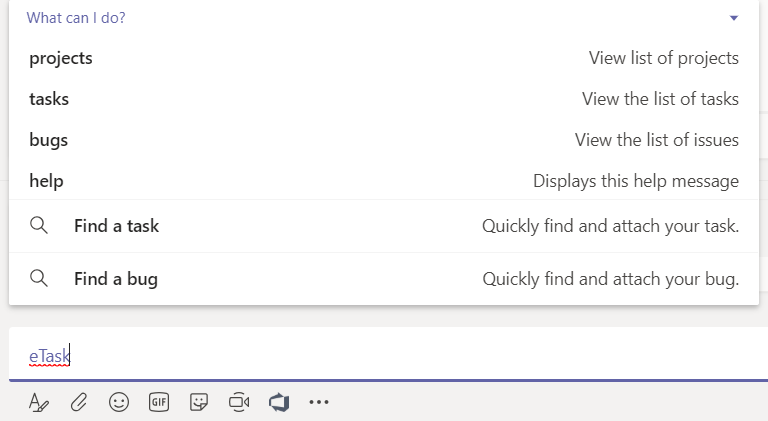
Find a task
On the Posts tab, type “@eTask” and choose eTask, and then click on “Find a Task”.
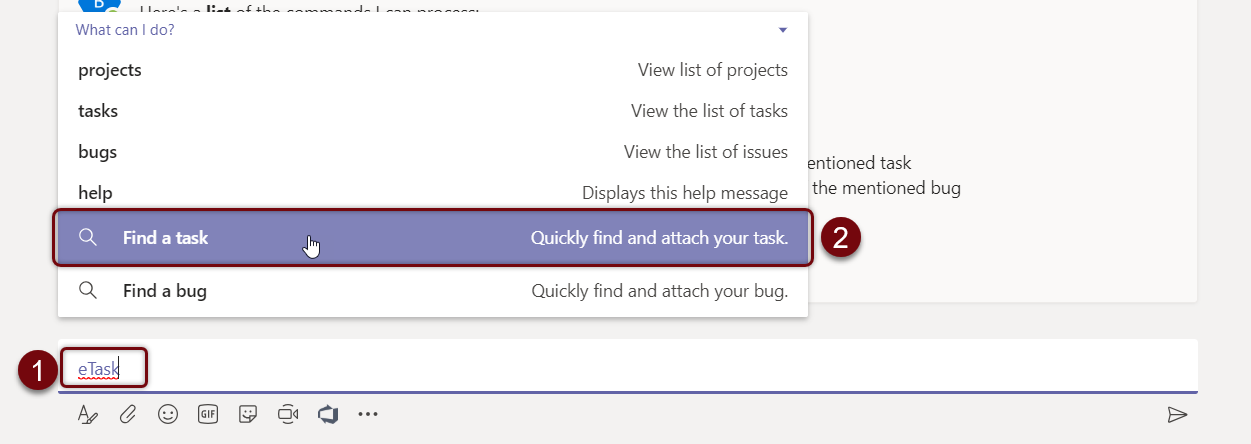
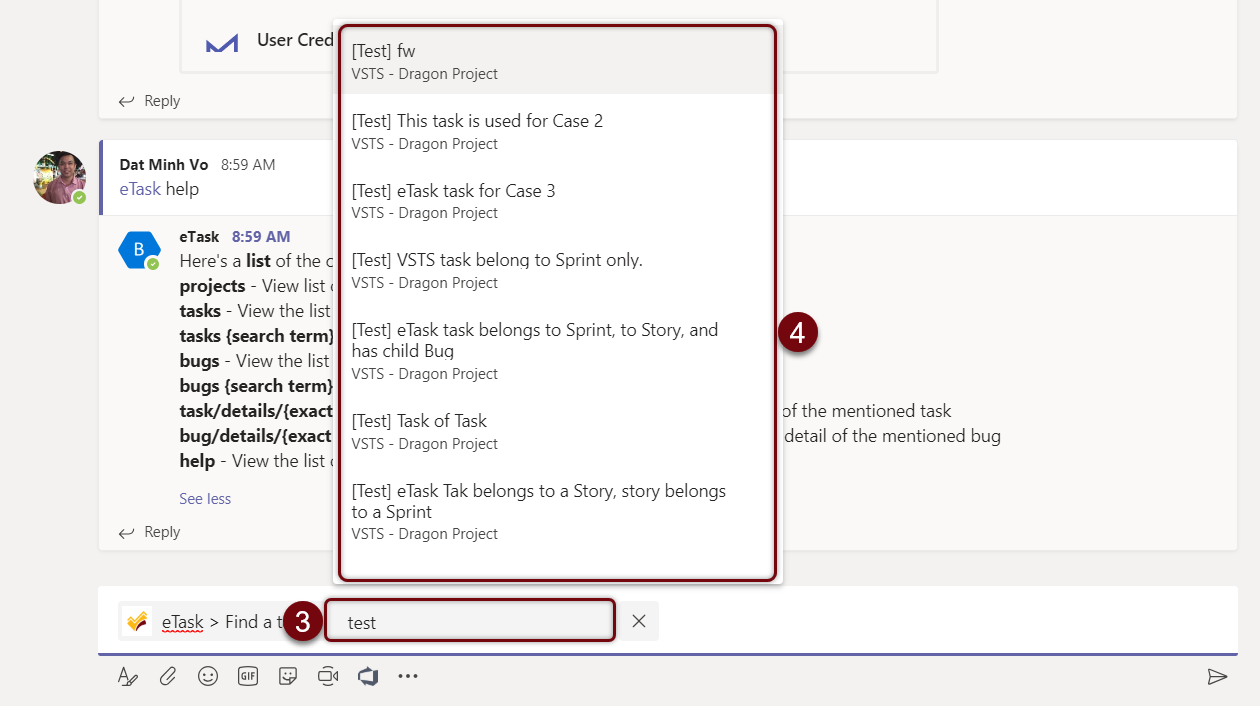
Use a keyword to find a task.
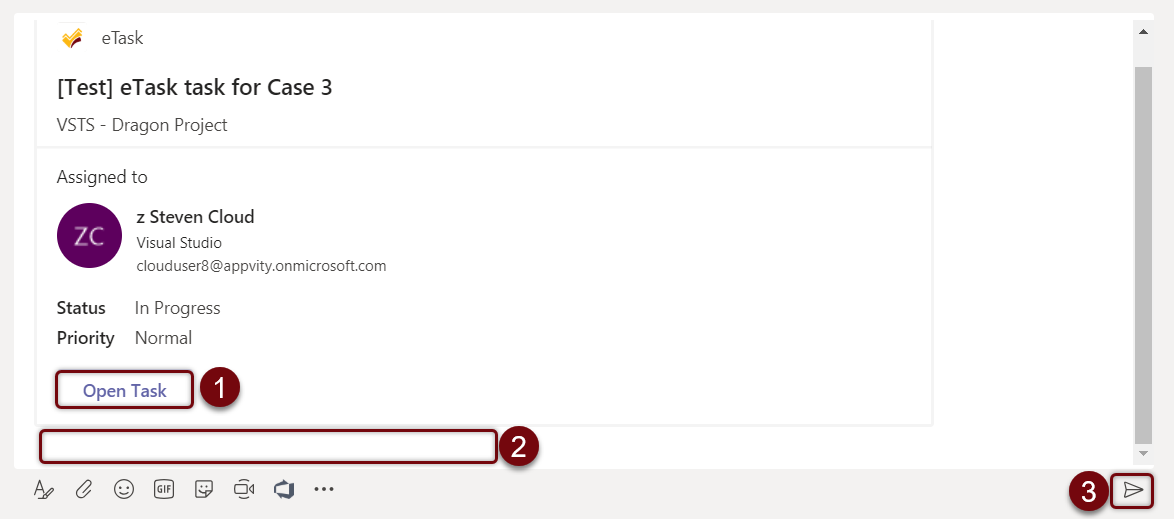
Task will be embedded onto Posts tab.
-
Open Task: Microsoft Teams will be directed to that task in eTask tab.
-
Attached message (Optional): Write a comment or tag someone to improve concentration.
-
Send: Send the whole message onto Posts tab.
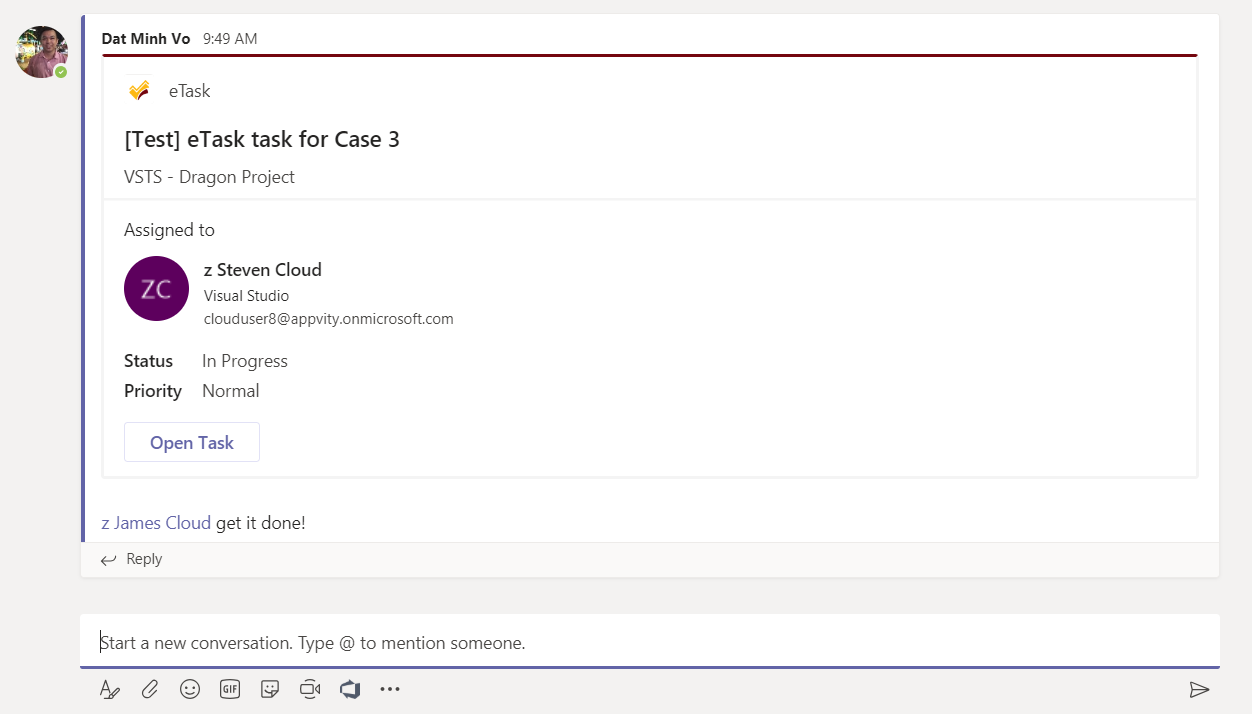
Find a bug
On the Posts tab, type “@eTask” and choose eTask, and then click on “Find a Bug”.
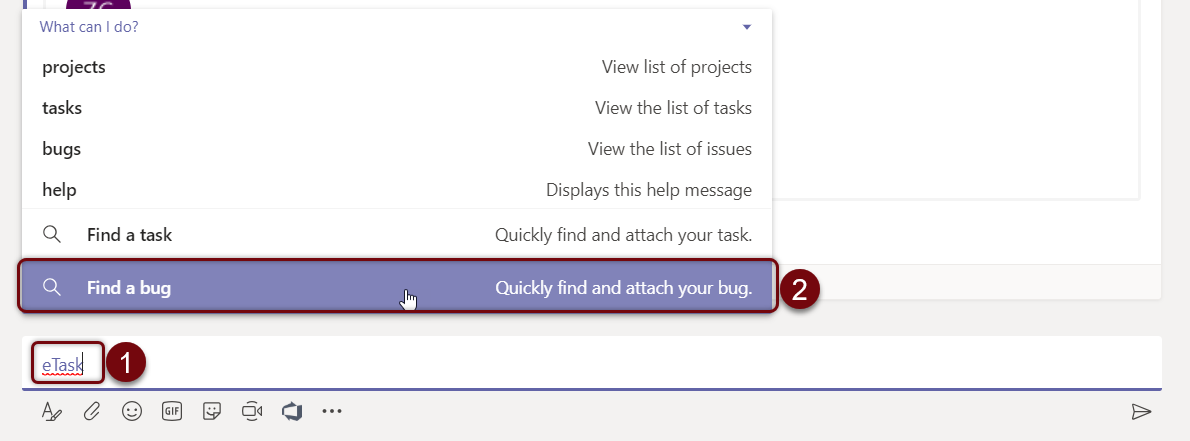
Use a keyword to find a bug.
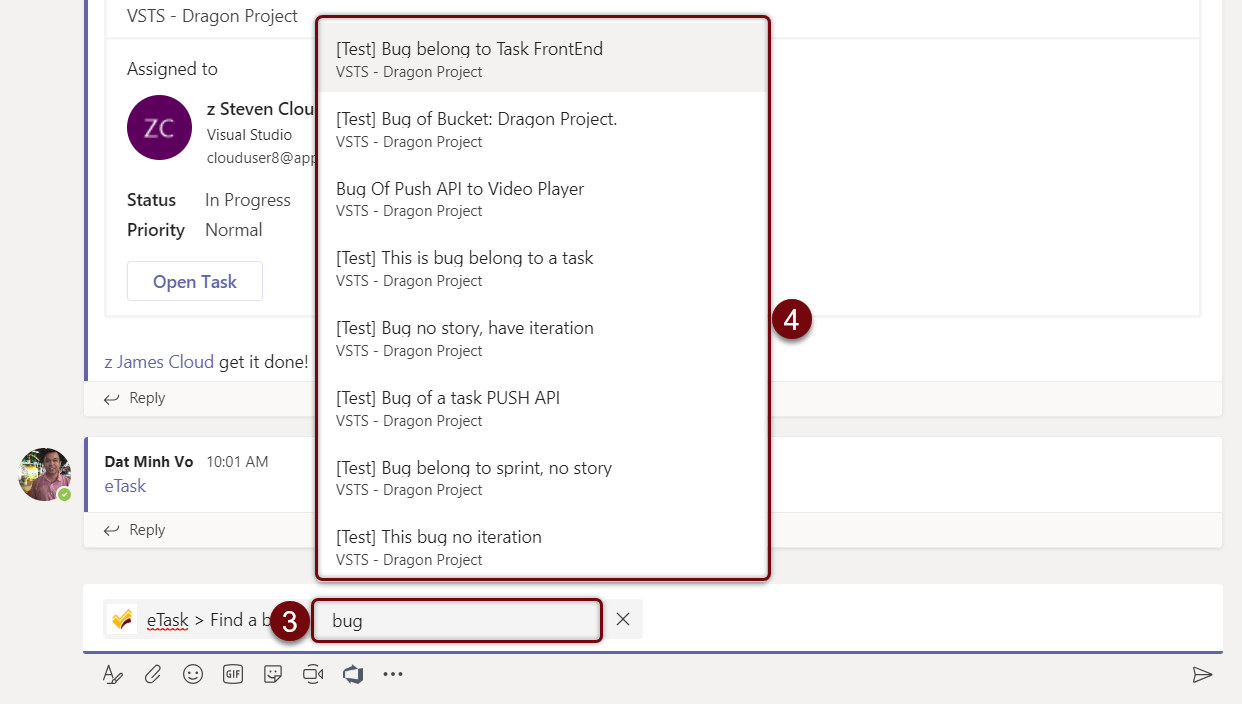
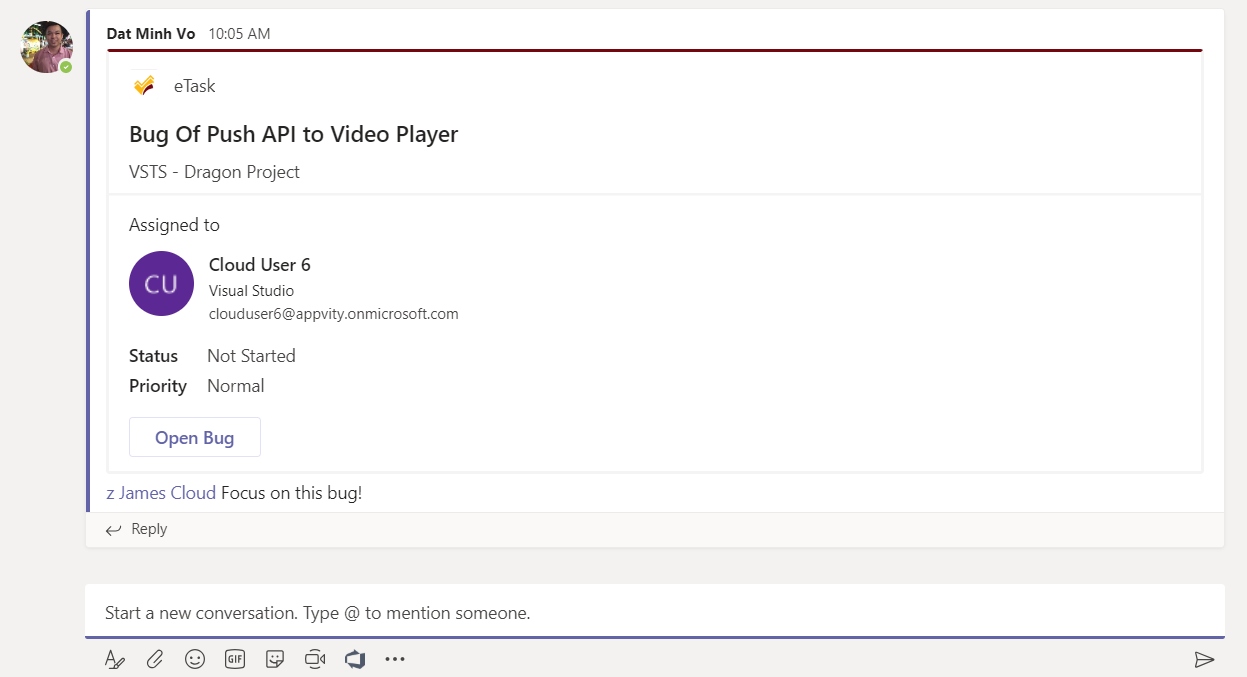
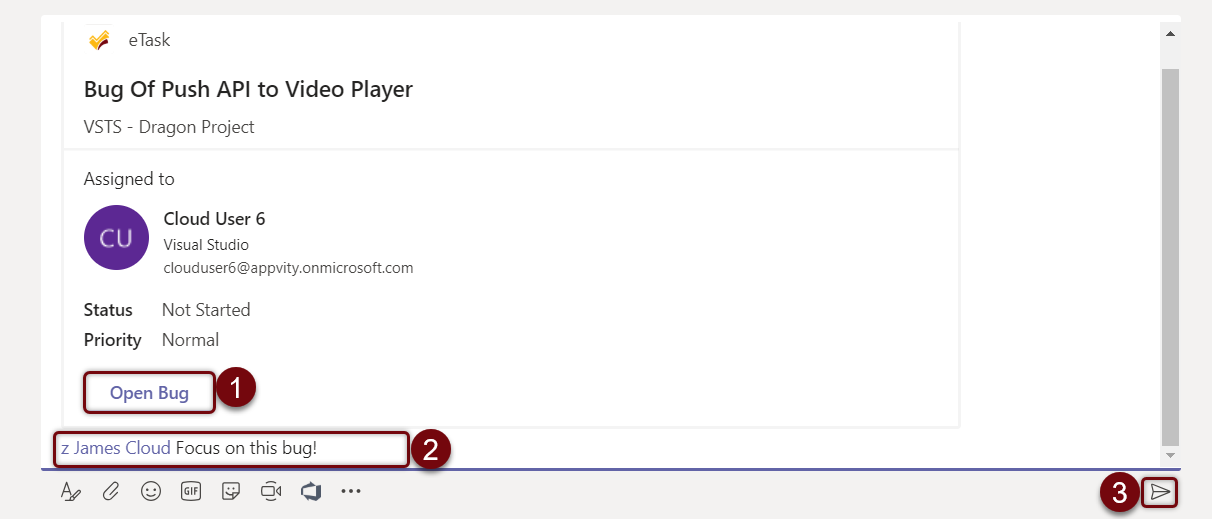
Bug will be embedded onto Posts tab.
-
Open Bug: Microsoft Teams will be directed to that bug in eBug tab.
-
Attached message (Optional): Write a comment or tag someone to improve concentration.
Send: Send the whole message onto Posts task