User
User can connect their Office365 account to other accounts from different systems and manage them in the Users tab.
Mapping
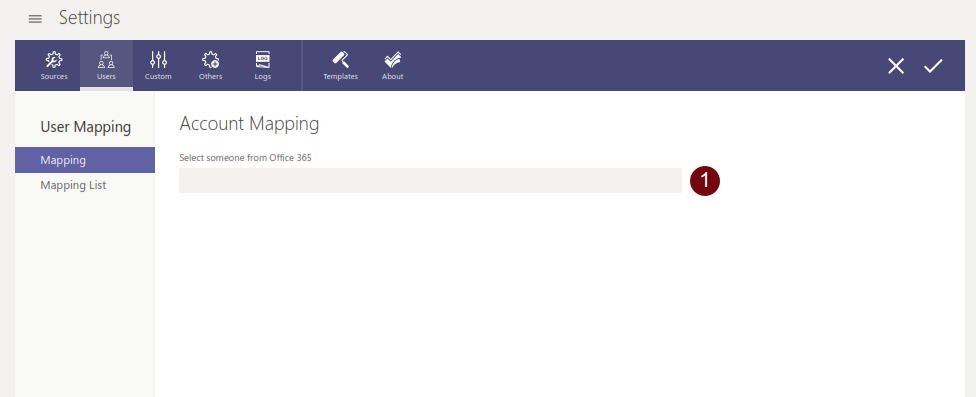
To connect an Office 365 account to another account:
-
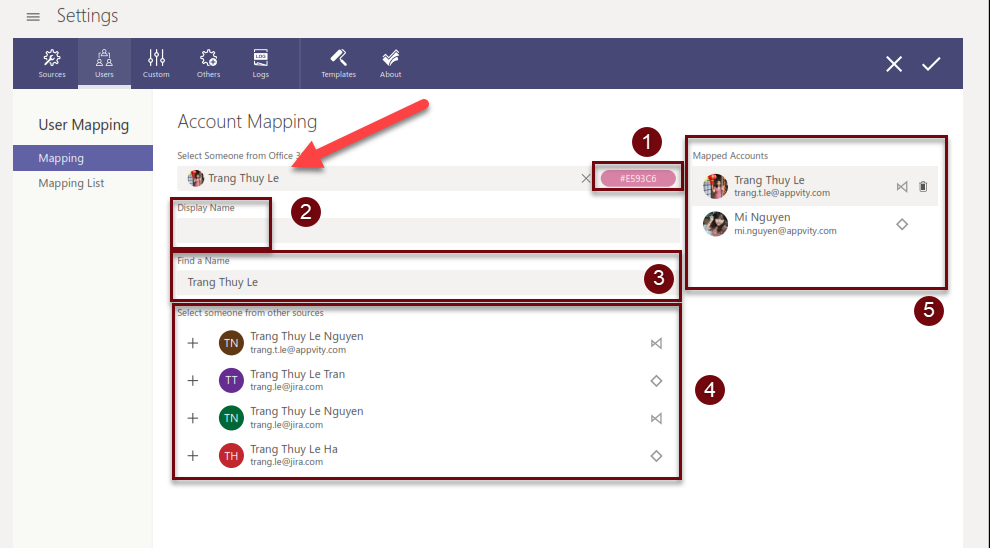
Enter the name and select the desire account. A color code is auto-assigned to each project on eTask. User can choose another color.
-
The Display Name will be shown in eTask instead of the office 265 account name.
-
After selecting the account, the Office 365 name will be pasted into Find a Name. The content of this will determine the list in (4). User can edit if it is needed.
-
Click on
 to map the account from other sources to the Office 365 account.
 -
Show all the accounts connected to the current Office 365 account.
Mapping List
-
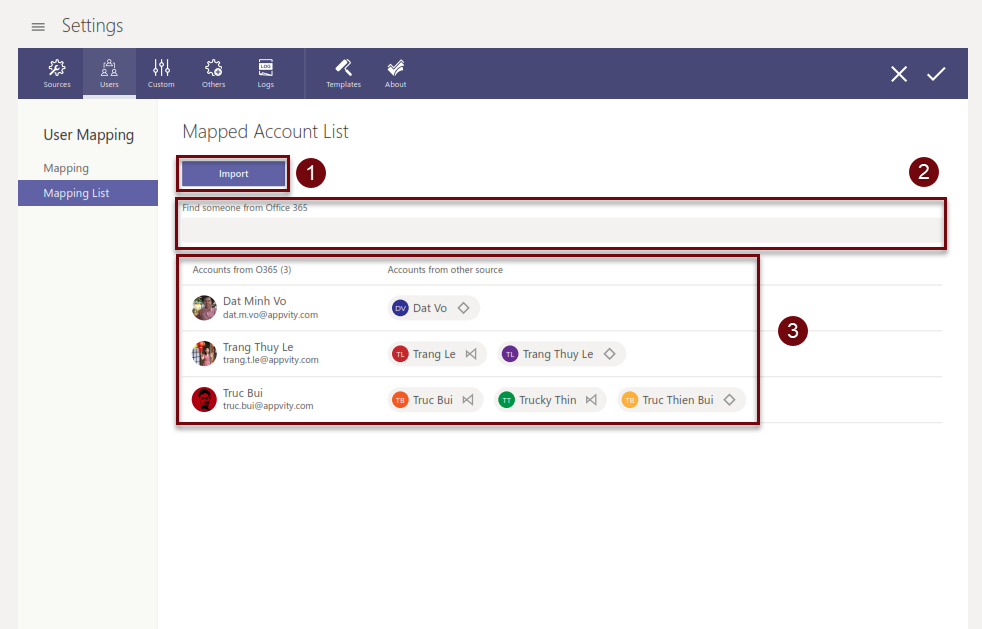
Import the account mapping made by other company using Appvity template.
-
Search a user through Office 365 account. When user enters the name of an Office 365 account, the following list will be filtered.
-
List of all Office 365 accounts and other accounts that are mapped to it.


